
How to Verify 4D Results: Draw Dates, Prize Tiers and Source Checks
A source-checking guide for matching a 4D number to the correct operator, draw date and prize tier without confusing historical results.
Introduction
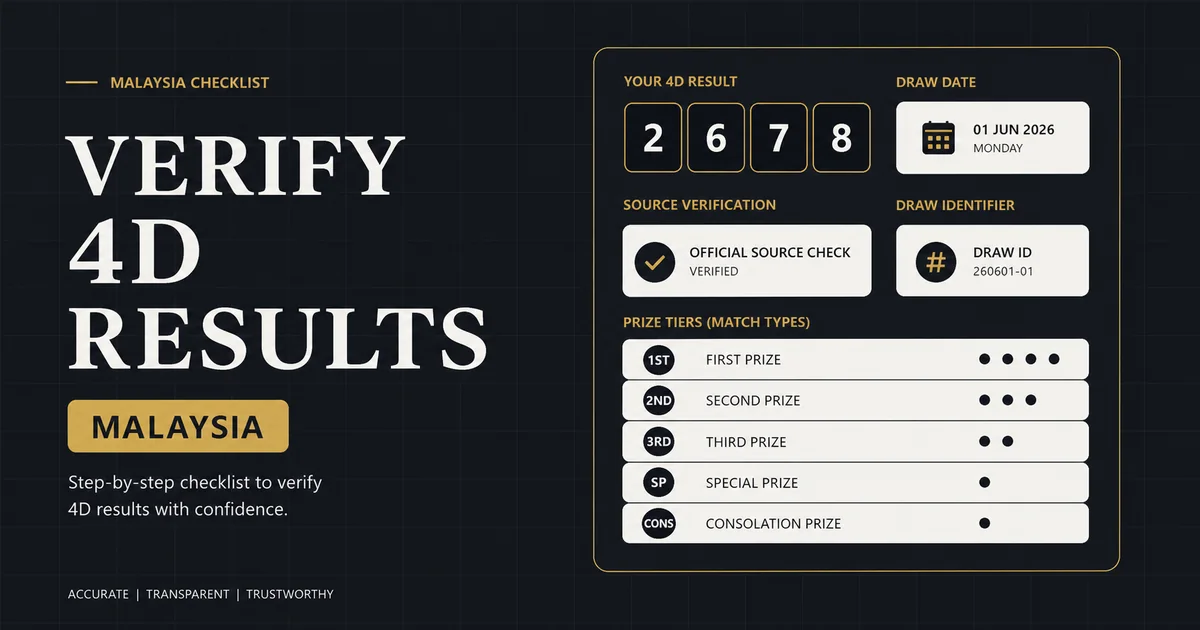
To verify a 4D result, match five details: the result source, operator or draw name, draw date, four-digit number and prize tier. A number appearing on a page is not enough by itself because the same four digits can appear in historical records, different operators or different prize positions.
This article explains how to read and cross-check result information. It supports the site’s 4D Results page, which contains the current results module, but does not replace that live destination. The external Winbox 4D results information link is included only as a contextual brand reference.
Quick Answer
- Confirm the draw operator or result set.
- Match the complete date, including year.
- Read all four digits in order, including leading zeroes.
- Identify whether the number is First, Second, Third, Special or Consolation.
- Check the result page’s update status and source context.
- Keep a screenshot only as a record, not as the sole verification source.
Identify the Correct Draw
Start with the operator or named result set and the draw date. Some dates can include more than one result source, and special draws may follow a different schedule. A page that defaults to the latest result can change after a new draw, so confirm the date before searching for a number.
Use the full year. A search result or shared image may omit it, creating confusion with a historical draw on the same day and month. If a draw number is displayed, record it as an additional identifier.
Leading zeroes matter
A result such as 0123 is not the same entry as 123 shown without context. Preserve the four-character format when checking, recording or searching.
Understand Prize Tiers
Result tables commonly separate First, Second and Third prizes from Special and Consolation entries. The same number should be matched to the exact tier where it appears. Do not infer a tier from the order in which a social post lists numbers.
A result page may group Special and Consolation numbers in a grid. Read row and column headings carefully, especially on mobile where wrapping can separate a label from its numbers.
Result display versus payout rules
A results table reports drawn numbers. Ticket eligibility, prize amount, claim timing and validation are separate matters governed by the relevant provider’s rules.
Check the Source and Update State
Prefer a current result page that identifies its source, date and update status. An embedded module can display third-party content, so users should still match the date and operator shown within that module. Do not rely only on a cropped screenshot or forwarded chat message.
If two pages disagree, wait for an official correction or compare a recognized primary result source. Avoid entering account credentials into a page simply to view public results.
How to Use the 4D Results Module
On the site’s 4D page, first read the introduction and then view the embedded results area. The visible module is interactive content from another source, while the surrounding page explains what to check. Match the operator, draw date and tier before using the information.
The page includes a transparent registration overlay by design, so a click within the visible module may open the registration destination rather than interacting with the third-party site. This does not change the need to verify result details shown on screen.
Avoid Common Result-Checking Errors
Do not search only the four-digit number without a date. Do not assume the latest cached result is current after a draw. Do not confuse a ticket purchase record with the actual result, and do not treat an unverified notification as final.
For account and link safety, review Account Security. For broad category context, use the Winbox Games Guide.
Practical Reference Table
| Field | Example format | Verification question |
|---|---|---|
| Result source | Named operator or draw set | Am I viewing the intended result source? |
| Draw date | DD Month YYYY | Is this the correct date and year? |
| Draw number | Operator-specific identifier | Does it match the result record? |
| 4D number | Four digits, e.g. 0123 | Are all digits and leading zeroes preserved? |
| Prize tier | First, Second, Third, Special, Consolation | Where exactly does the number appear? |
Step-by-Step Checklist
-
Open the current results page
Avoid relying on an old search snippet.
-
Select the result source
Confirm the operator or named draw set.
-
Match the full date
Include day, month and year.
-
Read the four digits
Preserve order and leading zeroes.
-
Locate the tier
Check the correct labelled section.
-
Cross-check discrepancies
Use a recognized primary source if two displays disagree.
Frequently Asked Questions
What details are needed to verify a 4D result?
Match the source or operator, draw date, four-digit number and exact prize tier. A draw identifier provides an extra check when available.
Why is the draw date important?
The same number can appear in historical results or another result set. The date prevents a false match.
Do leading zeroes count?
Yes. A 4D entry should be read as four digits, so leading zeroes must be preserved.
What are Special and Consolation results?
They are separately labelled prize tiers in many result tables. Exact eligibility and payout rules depend on the relevant provider.
Can a screenshot be used as proof?
It can document what was displayed, but it should be checked against a current recognized result source.
Why might a result page update late?
Data feeds, caching or corrections can delay a display. Recheck the source and update status rather than assuming an early page is final.
Conclusion
Reliable 4D checking is a matching exercise: source, date, draw identifier, four digits and tier. Recording all of those fields prevents most confusion caused by old pages, cropped images and similar-looking results.
Continue Your Research
Use the site’s focused landing page and related guides to verify current information before making a decision.